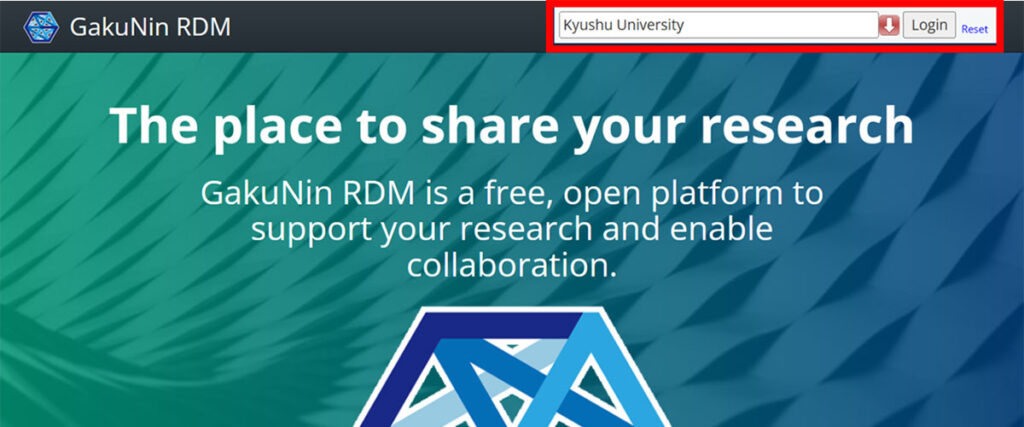
Kyushu University Research Data Management System “QRDM” is a system for preserving and sharing research data. QRDM can manage research data through Nextcloud. It can also be connected from the GakuNin RDM and used as its external storage. Data is backed up remotely on a regular basis.
| URL | https://qrdm.dx.kyushu-u.ac.jp/ |
| User | Faculty members of Kyushu University1 |
| Capacity | Up to 5 TB per faculty member for the time being2 |
| Access | Only from the university network3 |
- The file sharing function enables cooperative data management with students and others.
- Larger storage capacity can be allocated upon request. Please submit your request using the application form. Please note that, depending on the overall usage status of QRDM, we may not be able to accommodate all requests.
- File sharing over the internet with researchers inside and outside the university is possible by connecting from the GakuNin RDM.
Please observe the following rules when using this system.
“The terms of use for the Kyushu University Research Data Management System (QRDM)” (Japanese version only) [PDF]
Regarding Long-Term Preservation of Research Data
The QRDM cold storage has been expanded, enabling the provision of a 2 PB storage area equipped with Hierarchical Storage Management (HSM) functionality as of April 2025. This area is referred to as the HSM Area.
The HSM Area allows for long-term preservation of underlying research data. It can be used for the two purposes listed below, and a separate application is required for each usage type.
For details on what can be done in the HSM Area and how to use it, please refer to “Use of the QRDM HSM Area.”
For specific operational instructions, please refer to the “QRDM Long-Term Preservation User Manual.”
Storage of Large-Scale or Sensitive Underlying Data
The HSM Area can be used as an environment for storing large datasets that are difficult to manage individually, or for storing sensitive data, such as those containing personal information.
If you wish to use the HSM Area for this purpose, please submit an application using this Forms link.
Preservation of Underlying Data After Retirement
The HSM Area may be used as a “10-year preservation” environment for underlying data in cases where there is no successor to take over the research data due to retirement or similar circumstances.
If you wish to use the HSM Area for this purpose, please review “Long-Term Research Data Storage Service for Soon-to-Retire Users” and submit an application following the procedures described in that document.
About Laboratory Accounts
We provide “Laboratory Accounts” that allow multiple members (faculty, students, etc.) in a group or organization such as a laboratory and department to access the same folder.
I. How to Use Laboratory Accounts
- From campus network, you can also use the desktop client instead of the nextcloud browser to access the folder of a Laboratory Account as a local PC folder, similar to OneDrive (it automatically syncs with QRDM). When logging in the Laboratory Account using the desktop client, use the app password issued individually by the Laboratory Account administrator, not the account password.
- It is also possible to use the folder of a Laboratory Account via NII’s GakuNin RDM (hereafter GRDM). By having the Laboratory Account administrator configure project settings and connect GRDM to QRDM, project members can access and use connected folders on QRDM (Off-campus access is only possible via GRDM).
II. Notes on Using Laboratory Accounts
- To use the service, submit an application. Applications are renewed annually.
- Application Forms URL Click here
- Applicants must be Kyushu University faculty members or individuals possessing a QRDM account, who will serve as the Laboratory Account administrator.
- The available storage for a Laboratory Account will be permitted based on required capacity for the time being. The required capacity must be declared at the time of application.
- The Laboratory Account administrator must create an app password for each member.
- The Laboratory Account administrator must not share the password of the Laboratory Account and the app passwords issued to members with others, including laboratory’s member.
- The Laboratory Account administrator has the authority and responsibility for registering, deleting, and modifying members.
Use of QRDM by Non-Faculty Staff
Non-faculty staff members of Kyushu University who wish to use QRDM are required to submit an application.
1. Eligibility for Application
Honorary Professors, Research Fellows, technical staff, and administrative staff who are engaged in research activities (including research support) at Kyushu University may use QRDM upon submitting an application and receiving approval.
If you are unsure whether you meet the eligibility requirements, please contact us for consultation.
2. Period of Use
The period of use is valid until the end of the fiscal year in which the application is submitted.
Users who wish to continue using QRDM must apply for renewal.
3. Application Procedure
Honorary Professors should submit their application via the Application Form (Honorary Professors).
Research Fellows, technical staff, and administrative staff should submit their application via the Application Form (Staff).
Usage Guide
Faculty members who are enrolled at Kyushu University can log in with their SSO-KID and use the system. When accessing the QRDM, the Terms of Use will be displayed. Please agree to the Terms of Use before using the QRDM.
QRDM has adopted Nextcloud as its software, which is intuitive and easy to use. For details on how to use the system, please refer to the user manual.

You can add files by drag-and-drop.

You need to install a desktop client (synchronisation application) on your own PC.
Using the file and folder sharing function, data can also be shared with students who do not have an account on QRDM.
Note that direct access to the QRDM is only possible from the university network, but it can also be accessed from outside the university in cooperation with the GakuNin RDM.
Note on file names
When using file names that include certain symbols, there may be compatibility issues between Mac OS and Windows. While Mac OS may allow such file names, Windows might encounter problems. Therefore, it is advisable to refrain from using symbols, as indicated below, in the file names of data uploaded to QRDM. Considering the public release and sharing of research data with external departments, it is desirable to select file names that will not cause issues during saving, regardless of the operating system.
Symbol characters not allowed in file names
Windows
" (double quotation marks) < (less than) > (greater than) | (vertical bar) : (colon) * (asterisk) ? (question mark) \ (backslash) / (slash)Mac OS
/ (slash)User Manual
Nextcloud user manual
QRDM uses Nextcloud for file management; see the official user manual for general information on how to use Nextcloud.
GakuNin RDM to QRDM connection manual
Connecting from the GakuNin RDM enables data management from outside the university, and also enables data sharing with collaborators outside the university who can use the GakuNin RDM. Please refer to the following manual on how to connect from the GakuNin RDM to the QRDM.
- How to connect from GakuNin RDM to QRDM [PDF]
- It explains how to connect the QRDM using the add-on feature of the GakuNin RDM.
- Faculty members who are no longer enrolled due to transfer, retirement or other reasons will lose their access rights to the QRDM. Please transfer or delete data appropriately while access to the QRDM is still available, as stated in the Terms of Use. Please note that if you lose access to the QRDM, the connection from the GakuNin RDM to the QRDM will also be terminated.